SPF and DKIM Pass, but DMARC Fails: Why?
SPF and DKIM can both pass while DMARC fails. Learn why domain alignment matters, how to spot mismatched sender identities and what to change to fix the problem.
Updated
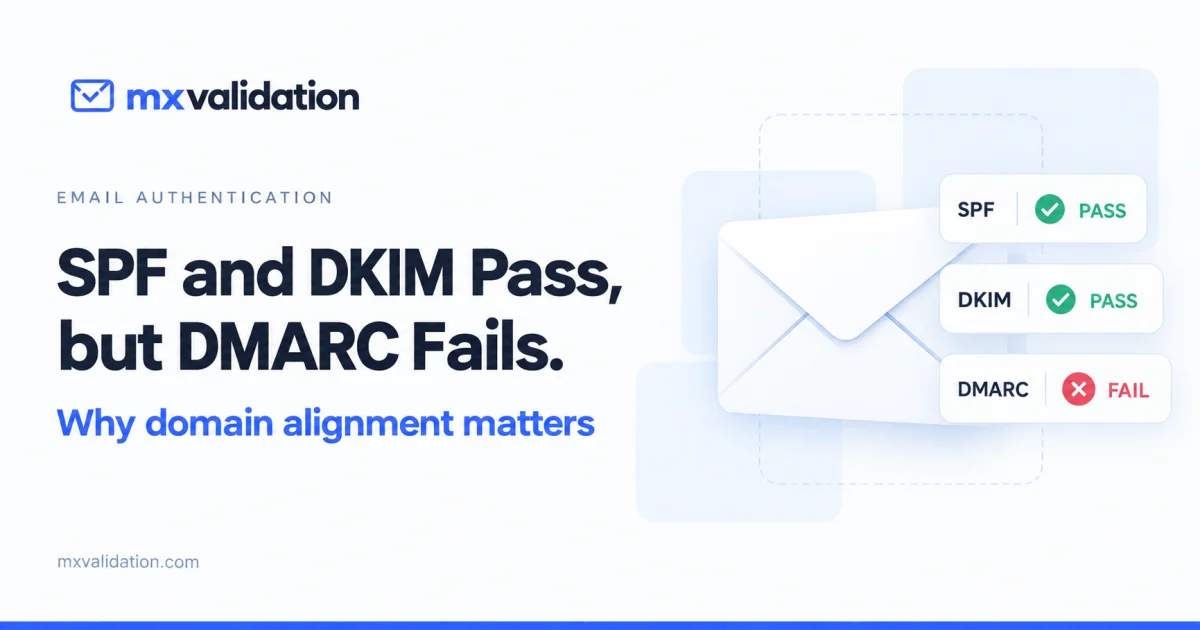
Your email test shows three results that seem contradictory:
- SPF: Pass
- DKIM: Pass
- DMARC: Fail
If both authentication checks passed, what went wrong?
Usually, the missing piece is domain alignment. SPF and DKIM can successfully authenticate domains that are different from the domain your recipient sees in the From address.
DMARC checks whether those identities are connected.
Three checks, different questions
SPF, DKIM and DMARC work together, but they do not verify the same thing.
| Check | What it verifies |
|---|---|
| SPF | Whether the sending server is authorized to send for the envelope sender domain. |
| DKIM | Whether a message’s cryptographic signature verifies using the signing domain’s public key. |
| DMARC | Whether SPF or DKIM passes using a domain aligned with the visible From domain. |
The distinction matters when you send through a newsletter platform, transactional email provider, website or CRM.
Your provider may authenticate its own domain correctly while your message displays your business domain in the From address.
An example: everything passes except alignment
Suppose a customer receives an email with these identities:
From: Your Store <orders@example.com>
Return-Path: <bounce@mailer.example.net>
DKIM signing domain: example.net
The receiving server reports:
spf=pass smtp.mailfrom=mailer.example.net
dkim=pass header.d=example.net
dmarc=fail header.from=example.com
Both underlying checks passed:
SPF passed because the sending IP was authorized for mailer.example.net.
DKIM passed because the signature from example.net verified successfully.
But neither authenticated domain aligns with example.com, the domain in the visible From address.
| Identity | Domain | Aligned with example.com? |
|---|---|---|
| Visible From | example.com |
Reference domain |
| SPF envelope sender | mailer.example.net |
No |
| DKIM signing domain | example.net |
No |
The result is a DMARC failure. The message authenticated successfully for the provider’s domains, but those results do not authenticate the domain presented to the recipient.
What does “aligned” mean?
DMARC supports two alignment modes: relaxed and strict.
Relaxed alignment
Relaxed alignment generally allows different subdomains of the same organizational domain to align.
For example:
Visible From: example.com
SPF domain: bounce.example.com
DKIM domain: mail.example.com
These domains can align under relaxed alignment.
However, example.net does not align with example.com. Sharing a similar name does not establish alignment.
Relaxed alignment is the default when the relevant alignment settings are omitted from the DMARC record.
Strict alignment
Strict alignment requires the authenticated domain to match the visible From domain exactly.
For example:
Visible From: example.com
DKIM domain: example.com
This matches.
But:
Visible From: example.com
DKIM domain: mail.example.com
does not match under strict DKIM alignment.
The DMARC tags that control these modes are:
| Tag | Controls | Values |
|---|---|---|
aspf |
SPF alignment | r for relaxed, s for strict |
adkim |
DKIM alignment | r for relaxed, s for strict |
Does DMARC require both SPF and DKIM to pass?
No. One passing, aligned authentication method is sufficient.
| SPF result and alignment | DKIM result and alignment | DMARC result |
|---|---|---|
| Pass and aligned | Fail | Pass |
| Fail | Pass and aligned | Pass |
| Pass, but not aligned | Pass and aligned | Pass |
| Pass, but not aligned | Pass, but not aligned | Fail |
Configuring both methods correctly is still valuable. For example, forwarding can cause SPF to fail, while an intact, aligned DKIM signature may continue to provide a DMARC pass.
How to find the mismatch
Start with an actual message sent through the system you want to verify. A DNS record check alone cannot show which domains that system uses when sending.
1. Identify the visible From domain
Find the address recipients see:
From: Billing <billing@example.com>
The reference domain is example.com.
The display name, such as “Billing,” does not affect alignment.
2. Find the domain that passed SPF
In the receiving server’s authentication results, look for the SPF result and smtp.mailfrom identity:
spf=pass smtp.mailfrom=bounce.example.com
Compare that domain with the visible From domain.
Do not assume SPF authenticated the From address simply because the result says “pass.”
3. Find the domain that passed DKIM
Look for the signing domain associated with a passing signature:
dkim=pass header.d=example.com
The domain corresponds to the d= value in the DKIM signature.
A message may contain multiple DKIM signatures. At least one valid, aligned signature is sufficient for the DKIM route to a DMARC pass.
4. Check the alignment settings
Read the applicable DMARC record and inspect aspf and adkim.
If strict alignment is enabled, a subdomain difference may explain the failure even when all the domains belong to your organization.
How to fix it
The right fix depends on how the message is sent.
Enable DKIM for your own domain
Many email providers initially sign messages using their own domain.
Look for a setting such as domain authentication or custom DKIM. Follow the provider’s instructions to publish its required DNS records and complete verification.
Then send a new message and confirm that a passing DKIM signature uses a domain aligned with your From domain.
Publishing the records is only part of the process. The provider must actually sign outgoing messages with the intended domain.
Configure a custom envelope sender
Your provider may call this a:
- Custom Return-Path
- Custom MAIL FROM domain
- Bounce domain
For example, a provider-controlled envelope sender could be replaced with:
bounce.example.com
That can provide SPF alignment with example.com under relaxed alignment, provided SPF also passes.
Use the provider’s documented configuration. Changing a Return-Path header manually does not configure the SMTP envelope sender.
Review strict alignment deliberately
If your record requires strict alignment, confirm that your sending services use exact domain matches.
Do not change strict alignment merely to make a warning disappear. First establish whether the mismatch is expected and which configuration meets your requirements.
Changes that will not solve the problem
Adding more SPF includes
If SPF already passes for an unrelated provider domain, adding includes to your visible From domain does not make that existing identity align.
You need to address the domain actually used in the SMTP envelope.
Switching to p=none
The DMARC policy and the authentication result are separate.
Changing the policy to p=none does not turn an unaligned message into a DMARC pass. It requests no specific enforcement action based on the DMARC failure.
Checking DNS without sending another email
Correct DNS records do not prove that every sending application uses them correctly.
Your newsletter platform, website and support system may each use different signing and envelope sender domains. Test each sending source separately.
Verify the fix with a new message
After making changes, send another email through the same application or provider that produced the failure.
In the new report, confirm:
- The visible From domain is correct.
- SPF or DKIM passes.
- The passing method’s domain aligns with the From domain.
- DMARC reports a pass.
Keep the earlier report so you can compare the exact identities before and after the change.
Look beyond the green “Pass”
An authentication result is more useful when it shows which domain passed and why.
When SPF and DKIM pass but DMARC fails, compare the authenticated domains with the visible From domain before changing DNS records. That comparison often reveals the problem immediately.
Run an email test with MXValidation and inspect the authentication evidence in your report. A DMARC pass confirms aligned authentication for that message; inbox placement also depends on other factors, including reputation, content and recipient filtering.